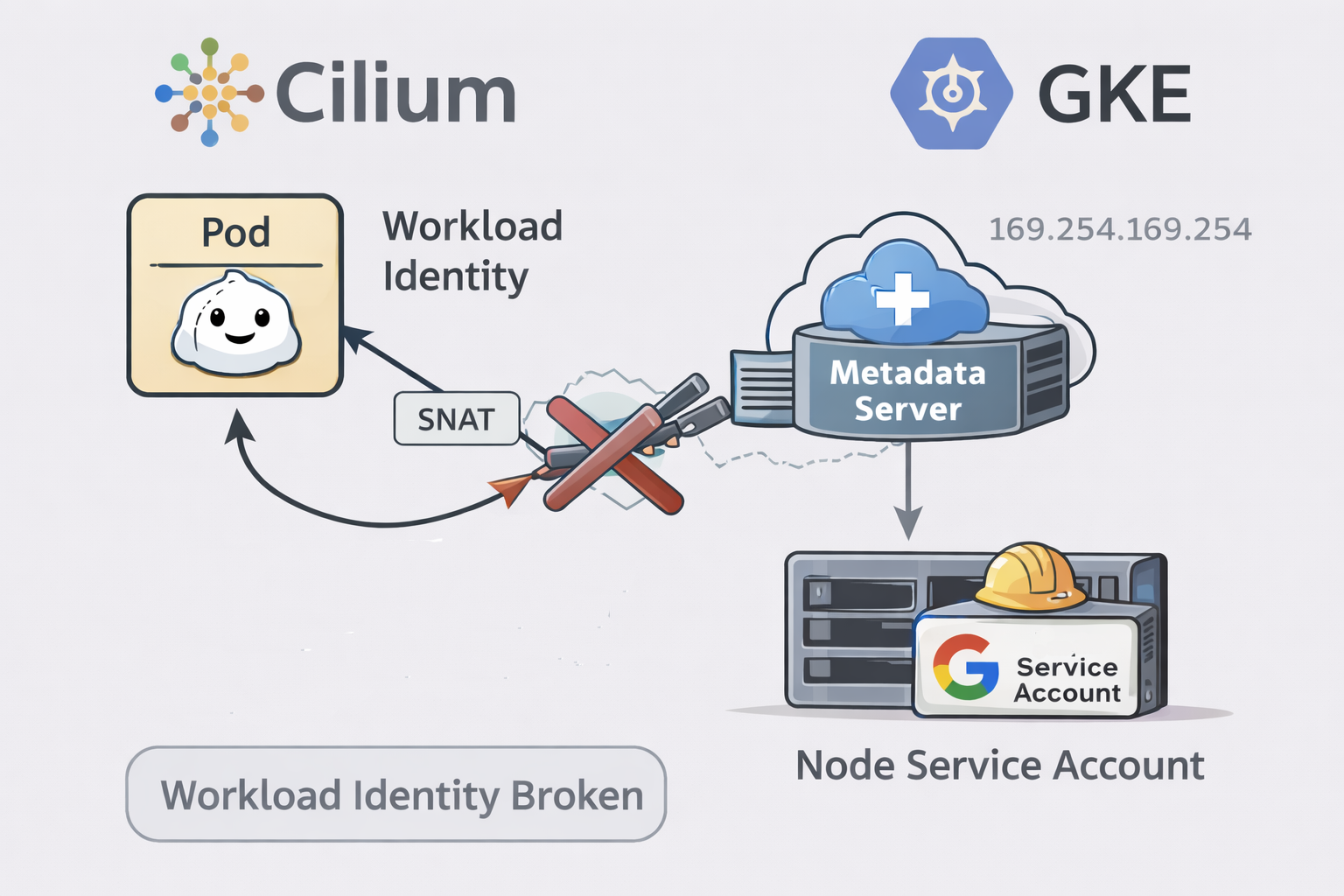
On GKE, Workload Identity Federation for GKE allows a Pod to obtain Google Cloud credentials without keys and with permissions defined in IAM. The idea is straightforward: the Pod uses a Kubernetes ServiceAccount (KSA), which maps to a Google Service Account (GSA), and calls to Google APIs are authorized using the GSA’s roles.
How Workload Identity works on GKE
Imagine a Pod that needs to access Cloud Storage to read or write objects in a bucket.
Instead of using JSON keys, on GKE with Workload Identity you do the following:
- You create a Google Service Account (GSA) with permissions on Cloud Storage (for example
roles/storage.objectViewer). - You associate that GSA with a Kubernetes Service Account (KSA).
- You configure the Pod to use that KSA.
From that moment on, that Pod has the permissions of the GSA, just as if it were that Google service account.
What happens inside the Pod?
The Pod’s application (for example, using the official Google Cloud SDK) uses Application Default Credentials (ADC) without knowing anything about Kubernetes or IAM.
When the application tries to access Cloud Storage:
- The SDK tries to get credentials by calling the metadata server (as it would on a Compute Engine VM).
- On GKE, that call is handled by the GKE metadata server, which knows which Pod is making the request.
- The metadata server identifies the Kubernetes Service Account (KSA) of the Pod.
- From the KSA, it applies the mapping to the Google Service Account (GSA) configured.
- It returns to the Pod a Google Cloud token with the permissions of the GSA.
From the perspective of the Pod and the application:
- No keys
- No special configuration in the code
- It simply “has permissions” to access Cloud Storage
The Pod believes it’s running with valid Google Cloud credentials, when in reality GKE is doing all the KSA → GSA translation transparently.
Typical Workload Identity setup (KSA ↔ GSA) on GKE
At a high level, the configuration flow is:
- Create a Google Service Account (GSA) in IAM.
- Assign it the necessary roles (for example,
roles/dns.adminif you’re going to manipulate Cloud DNS). - Allow the Kubernetes ServiceAccount (KSA) to impersonate the GSA by granting
roles/iam.workloadIdentityUserto the KSA principal on the GSA. - Annotate the KSA with the GSA email (
iam.gke.io/gcp-service-account). - Configure Pods to use that KSA (
serviceAccountName).
Verifying the Pod’s identity
A simple way to check what identity a Pod is resolving is to query the metadata server:
curl -s -H "Metadata-Flavor: Google" \
  "http://metadata.google.internal/computeMetadata/v1/instance/service-accounts/default/email"
echo
Expected output examples:
# Workload Identity working correctly (GSA associated with the Pod)
certmanager-igeo-operations@igeooperations.iam.gserviceaccount.com
# Workload Identity broken (node identity)
gke-node-sa-igeo-operations@igeooperations.iam.gserviceaccount.com
If you see the GSA associated with the Pod, Workload Identity is working. If you see the node’s service account, something is interfering with the process.
For a more complete check, you can also directly request a token:
curl -s -H "Metadata-Flavor: Google" \
  "http://metadata.google.internal/computeMetadata/v1/instance/service-accounts/default/token"
The problem: Cilium with BPF masquerade
For Workload Identity to work correctly, the GKE metadata server needs to attribute each request to the correct Pod. One of the key pieces to do this is the network identity of the request, typically the Pod’s source IP.
This is where Cilium comes in.
Cilium implements masquerading/NAT for outbound traffic: in practice, it can hide the Pod’s IP behind the node’s IP when traffic leaves the cluster.
In Helm values, this is typically configured like:
bpf:
  masquerade: true
In certain scenarios on GKE, with bpf.masquerade: true, the Pod’s request to the metadata server can be SNATeated. When this happens, the metadata server sees the request as if it came from the node, not the Pod.
The result is as follows:
- The metadata server can no longer associate the request with the KSA.
- The KSA → GSA mapping is not applied.
- The response falls back to the node service account.
The symptom is very clear:
-
Before (without masquerade):
.../default/emailreturns the Pod’s GSA.
-
With BPF masquerade enabled:
.../default/emailreturns the node service account.- The Pod inherits the permissions (or lack thereof) of the node, not the expected ones.
This type of breakage is documented in Cilium issues on GKE related to metadata and Workload Identity when using the BPF datapath.
Practical recommendation: on GKE with Cloud NAT, avoid BPF masquerade
If your nodes are private and you have Cloud NAT for egress, you normally don’t need bpf.masquerade to have Internet connectivity: egress will still exit with the Cloud NAT’s public IPs anyway.
In that context, bpf.masquerade usually adds little value and, as you’ve seen, can introduce hard-to-diagnose side effects.
The operational recommendation is:
bpf:
  masquerade: false
After that, validate that:
- Egress (outbound to the Internet / external APIs) works correctly.
- Workload Identity resolves the correct GSA again.
If you need SNAT for specific reasons
If at some point you need masquerade for a specific case (complex return routes, egress gateway, etc.), the correct approach is to masquerade normal traffic but exclude metadata/link-local, since Workload Identity depends on those calls.
Common alternatives:
- Use
ip-masq-agentwithmasqLinkLocal: falseand explicit exclusion of169.254.0.0/16. - Adjust your Cilium configuration or version to avoid SNAT toward the metadata server.
Summary
- Workload Identity on GKE relies on the GKE metadata server to deliver credentials of the GSA associated with the KSA.
- The metadata server needs to be able to attribute the request to the correct Pod.
- With Cilium and
bpf.masquerade: true, traffic toward metadata can be SNATeated and “appear” to come from the node. - In that case, Workload Identity breaks and the Pod starts using the node’s service account.
- If you have Cloud NAT, leaving
masquerade: falseis usually safer and sufficient for egress.
If you’re operating Cilium on GKE and see strange behavior with Workload Identity, first review your masquerade configuration. And if you want to discuss these design trade-offs, feel free to get in touch.
Comments