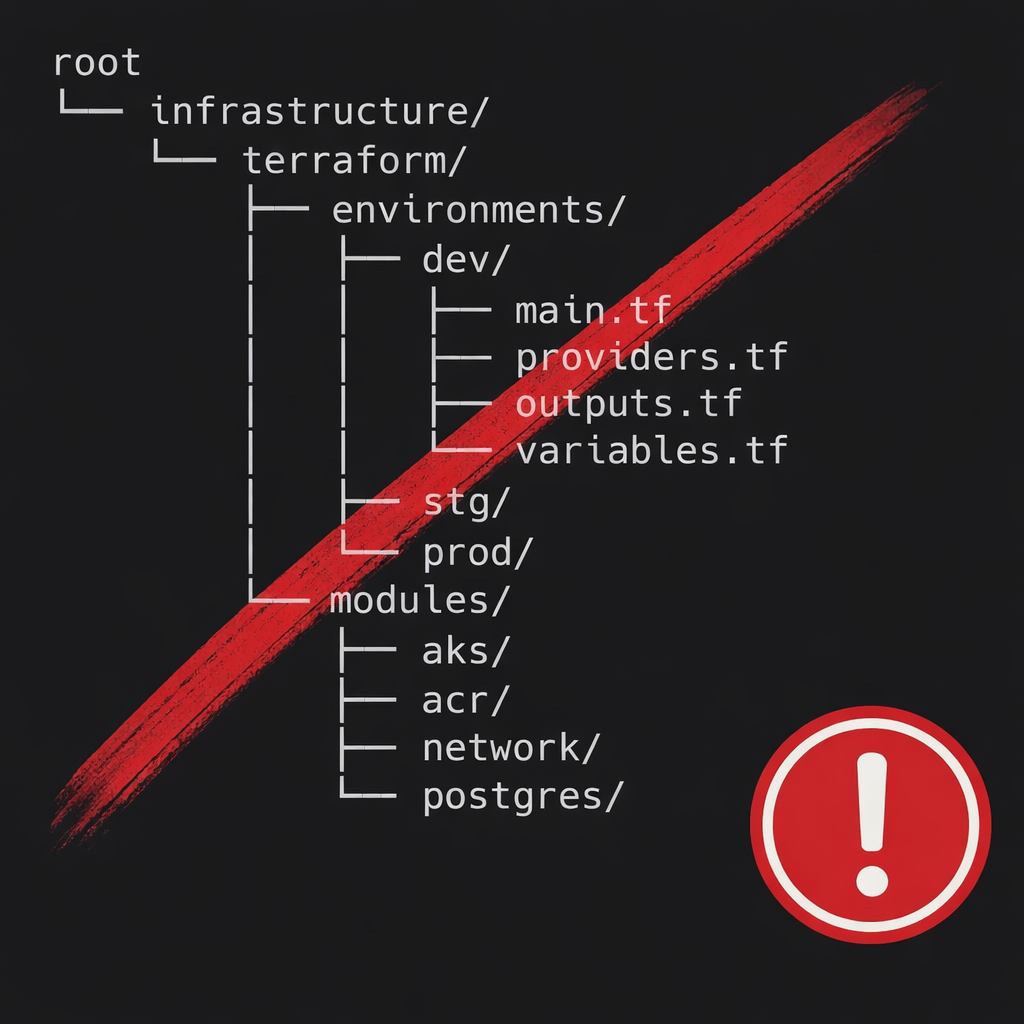
Many teams commonly use a Terraform structure based on a single repository, with folders per environment (prod, preprod, staging) and a common folder for reusable modules. Although this is not an official standard defined by Terraform, it is a widely adopted pattern in the community, especially in teams that are starting to scale their infrastructure as code.
A typical example of this approach would be:
terraform-infra/
├── modules/
│   ├── vpc/
│   │   ├── main.tf
│   │   ├── variables.tf
│   │   └── outputs.tf
│   ├── eks/
│   │   ├── main.tf
│   │   ├── variables.tf
│   │   └── outputs.tf
│   └── rds/
│       ├── main.tf
│       ├── variables.tf
│       └── outputs.tf
├── prod/
│   ├── backend.tf
│   ├── providers.tf
│   ├── main.tf
│   ├── variables.tf
│   └── terraform.tfvars
├── preprod/
│   ├── backend.tf
│   ├── providers.tf
│   ├── main.tf
│   ├── variables.tf
│   └── terraform.tfvars
└── staging/
    ├── backend.tf
    ├── providers.tf
    ├── main.tf
    ├── variables.tf
    └── terraform.tfvars
In this model, each environment references the local modules defined within the same repository, for example from prod/main.tf:
module "vpc" {
  source = "../modules/vpc"
  name   = "prod"
}

module "eks" {
  source = "../modules/eks"
}
This approach works well in small teams or early stages, and is often combined with Terraform workspaces to manage multiple states from the same codebase.
Workspaces: context and limitations
Terraform, by design, is flexible regarding code organization and does not impose a specific structure. In this context, Terraform workspaces often appear as a natural solution for managing multiple environments from the same codebase, something that fits especially well with Terraform Cloud, where the workspace is explicitly selected from the interface and is clearly associated with a specific state, variables, and policies.
However, outside of Terraform Cloud, using workspaces introduces certain operational risks. In local execution or generic pipelines, the active workspace depends on the command context (terraform workspace select). This makes human error more likely: an apply executed in the wrong workspace can impact the wrong environment if there are no additional controls.
Terraform’s official documentation acknowledges this limitation and, in the Alternatives to Workspaces section, proposes a different strategy for more complex scenarios:
“Instead of creating CLI workspaces, you can use one or more re-usable modules to represent the common elements and then represent each instance as a separate configuration that instantiates those common elements in the context of a different backend.”
This supports the idea that, when environments require clear isolation — for example, different backends, credentials, or domains of responsibility — using separate configurations that consume reusable modules can be more robust than relying solely on CLI workspaces.
One repository per environment
From this perspective, a common alternative in production environments is to use one repository per environment. In this model, each environment (production, preproduction, etc.) has its own repository, its own backend, its own state, and its own access controls, significantly reducing the risk of operational errors.
Reusability is achieved through shared modules, ideally hosted in independent repositories, with explicit and controlled versioning. Terraform not only supports this approach but documents it clearly.
In the official documentation on module configuration, Terraform explains how to install specific versions of a module, both from registries and Git repositories, allowing you to pin a version using tags, branches, or hashes:
“If you are using modules hosted in GitHub, BitBucket, or another Git repository, Terraform clones and uses the default branch referenced by HEAD. You can add the ref query parameter to the location specified in the source argument to reference any value supported by the git checkout command, such as a branch, SHA-1 hash, or tag.”
The documentation includes explicit examples using versioned tags and hashes to pin the exact module version:
module "vpc" {
  source = "git::https://example.com/vpc.git?ref=v1.2.0"
}

module "storage" {
  source = "git::https://example.com/storage.git?ref=51d462976d84fdea54b47d80dcabbf680badcdb8"
}
This approach allows different environments to consume the same module, but with different versions and variables, enabling controlled infrastructure evolution without breaking existing environments.
Practical example: repositories per environment with versioned modules
A practical implementation of this approach is to separate environments into independent repositories and consume shared modules from external repositories, pinning specific versions.
Module repositories (shared)
tf-modules-vpc/        (tags: v1.2.0, v1.3.0, v2.0.0)
tf-modules-eks/        (tags: v0.9.1, v1.0.0)
tf-modules-rds/        (tags: v3.4.2)
Each module is developed, evolved, and versioned independently.
Environment repository: preproduction
infra-preprod/
├── backend.tf
├── providers.tf
├── versions.tf
├── main.tf
├── variables.tf
└── env/
    └── preprod.tfvars
Example of module consumption in infra-preprod/main.tf:
module "vpc" {
  source = "git::https://github.com/your-org/tf-modules-vpc.git?ref=v1.3.0"
  name   = "preprod"
}

module "eks" {
  source = "git::https://github.com/your-org/tf-modules-eks.git?ref=v1.0.0"
}
Environment repository: production
infra-prod/
├── backend.tf
├── providers.tf
├── versions.tf
├── main.tf
├── variables.tf
└── env/
    └── prod.tfvars
Example of module consumption in infra-prod/main.tf:
module "vpc" {
  source = "git::https://github.com/your-org/tf-modules-vpc.git?ref=v1.2.0"
  name   = "prod"
}

module "eks" {
  source = "git::https://github.com/your-org/tf-modules-eks.git?ref=v0.9.1"
}
Advantages of this model
With this approach:
- Both environments reuse the same modules
- Each environment explicitly pins the module version it consumes
- Preproduction can advance versions before production
- Production remains stable until an update is decided
Conclusion
Terraform workspaces fit very well when used alongside Terraform Cloud and clear controls from the platform. However, for organizations with multiple critical environments, automated pipelines, and strong isolation needs, a model based on repositories per environment, combined with versioned reusable modules, typically offers greater clarity, control, and long-term operational security.
Other useful HashiCorp resources
To dive deeper into different approaches for organizing Terraform code and better understand the trade-offs between structures, repositories, and modules, these official HashiCorp resources are especially useful:
Terraform Mono-Repo vs Multi-Repo: The Great Debate
An analysis of the advantages and disadvantages between monorepo and multi-repo approaches applied to Terraform, highlighting that the decision depends on organizational and operational context.
Structuring Terraform Configuration for Production
Recommendations for evolving Terraform configurations toward production environments, emphasizing separation of responsibilities and the use of reusable modules.
Terraform CLI – Workspaces (Alternatives to Workspaces)
Official documentation where HashiCorp explicitly describes alternatives to workspaces based on separate configurations that reuse common modules with different backends.
Terraform – Module Configuration
Official documentation on how to consume modules from registries or Git repositories, including versioning via tags, branches, or hashes.
If you’re interested in this kind of architecture, you can learn more about my experience or get in touch.
Comments